
Services & features
Everything you need to build, inspect and report - in one connected platform.
Features
No-code template builder
Design your own app templates with a drag-and-drop builder. Add audit points, scoring, conditional fields and logic - with no code.
Photo & documentation
Take photos right in the app, mark what matters and attach photos to the right points in the inspection.
Dictation & notes
Dictate comments on the go instead of typing. Faster capture - without compromising on detail.
Audit structure & scoring
Audit forms with scoring and automatic deviations, so assessment stays consistent.
Automated PDF report
Generate a finished, professional report in one click, ready to send directly by email to the right recipients.
Offline, sync & export
Work offline, sync when there's a connection, and export data to your own systems.
Conditional logic
The template adapts to the answers: fields, questions and whole sections appear only when relevant, so the inspector always has exactly the right points.
Automatic calculations
Add, multiply and calculate across fields. Prices, quantities, scores and totals are computed automatically - including sums across repeated lines.
QR & barcode scanning
Scan a QR or barcode to auto-fill address, room, serial number or equipment data - fewer taps and fewer typos.
Data validation & quality
Set requirements on fields: required answers, min/max values and patterns like CPR or dates. Incomplete reports can be blocked before they're sent.
Repeatable lists
Add as many repetitions as the job needs (rooms, units or line items) right during the inspection, without changing the template.
Digital signature & sign-off
Get the inspection signed on the spot and close the case with an approved, traceable report, ready for archiving and audit.
From template to report in three steps
Build your template
Assemble your own app template with the no-code drag-and-drop designer - audit points, fields and scoring.
Inspect on site
Use the template on site: take photos, dictate comments and fill in the audit form, even offline.
Generate the report
Sync your data and generate a finished PDF in one click, ready to send directly by email.
What an inspection can look like in your hand
These screenshots show one template - a hygiene audit. What the form contains, and what happens at the end, is yours to decide when you build it.
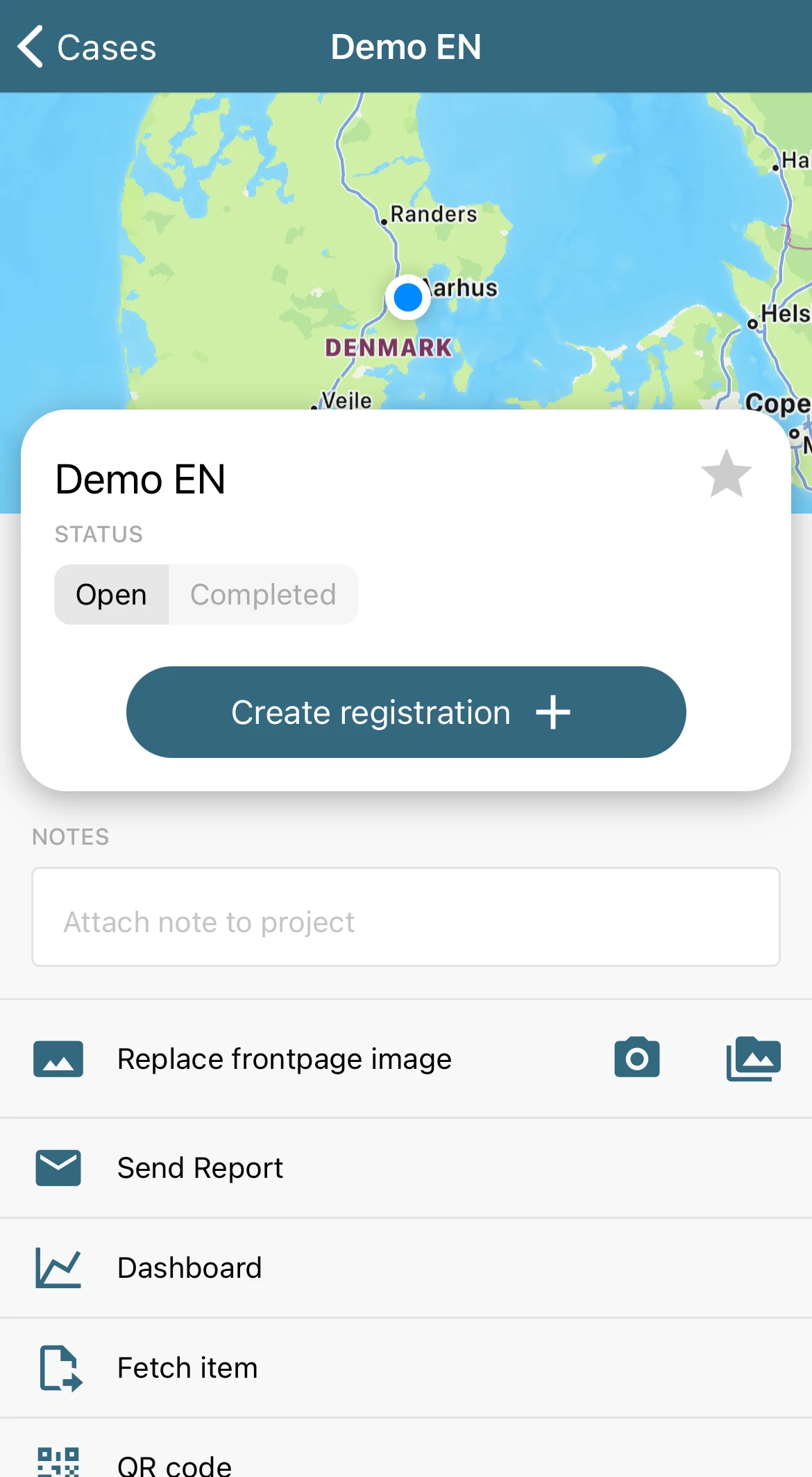
The inspector opens the case at the location and creates a registration. Report and dashboard sit in the same menu.
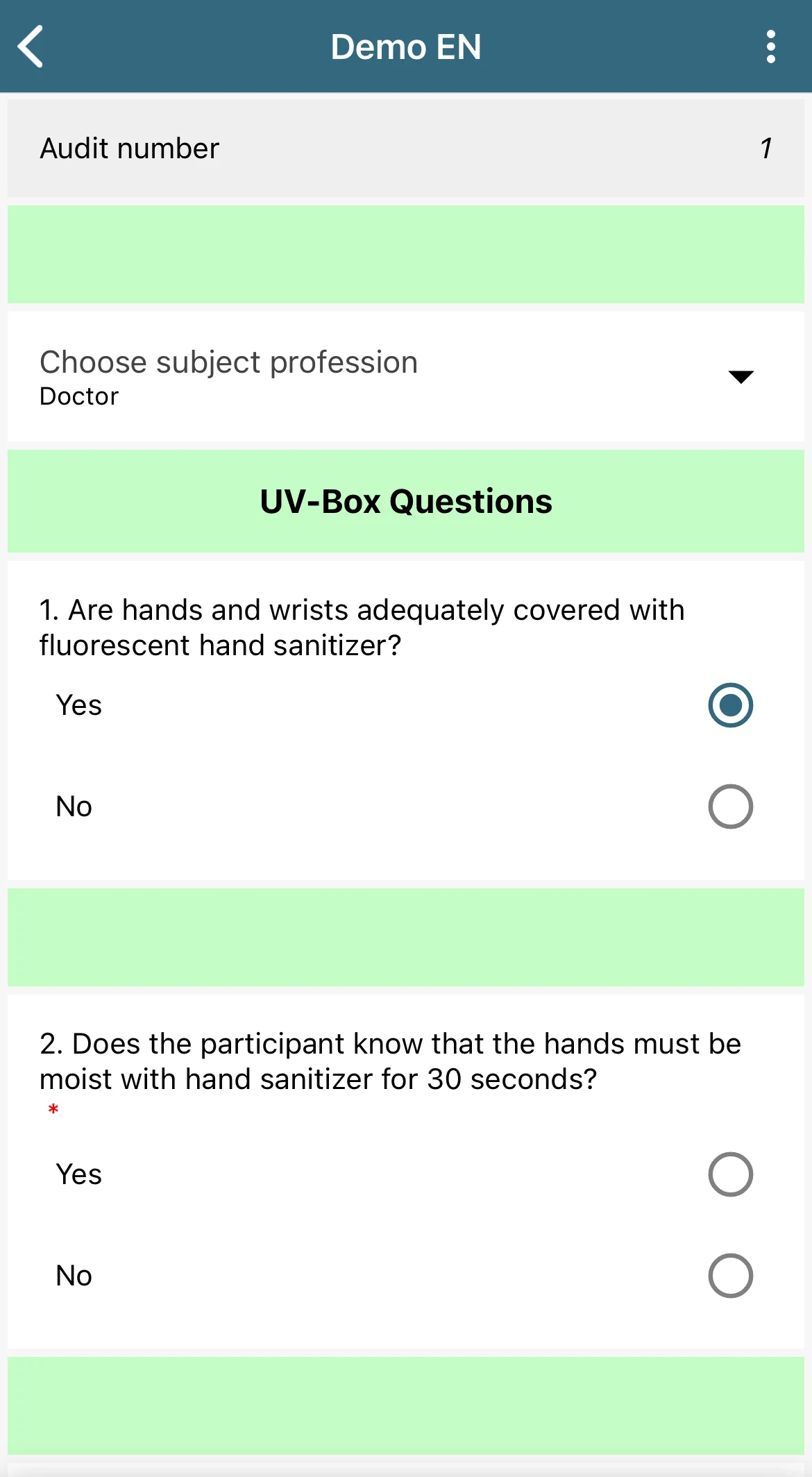
The audit form follows your own template. The fields you made required are marked in red, so nothing gets missed along the way.
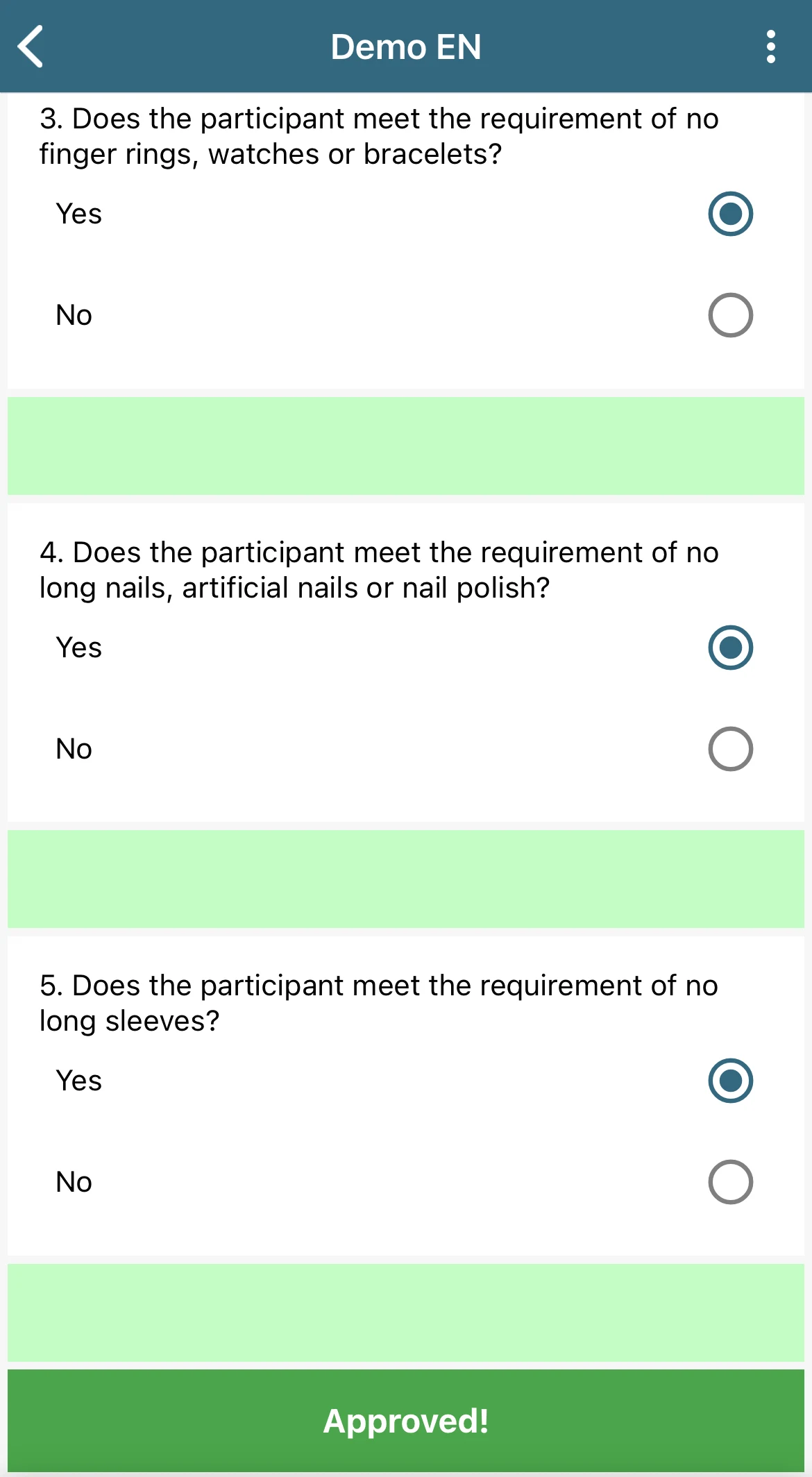
This particular template is set up to calculate an overall verdict from the answers. Another might end in a score, a report, or no verdict at all.
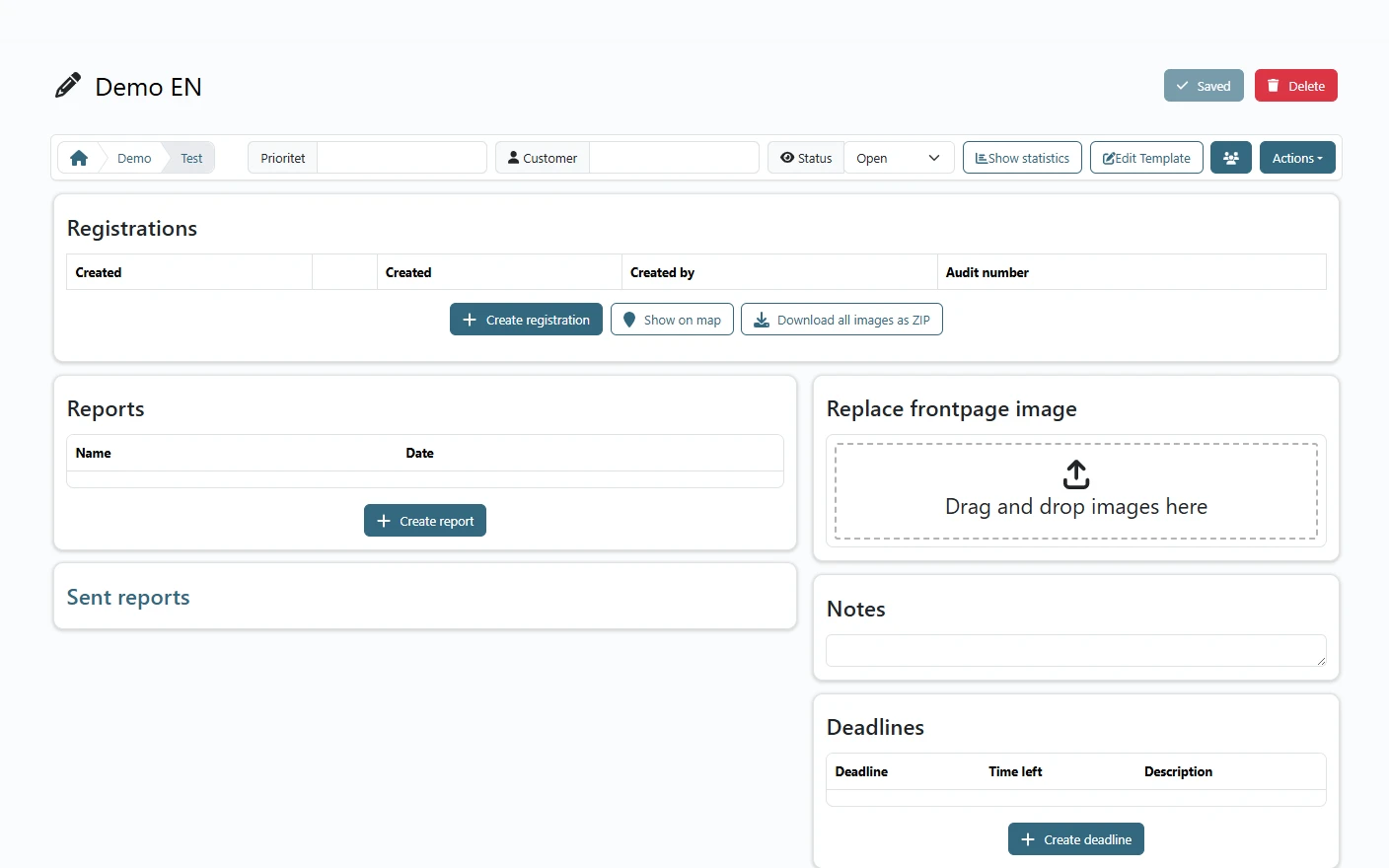
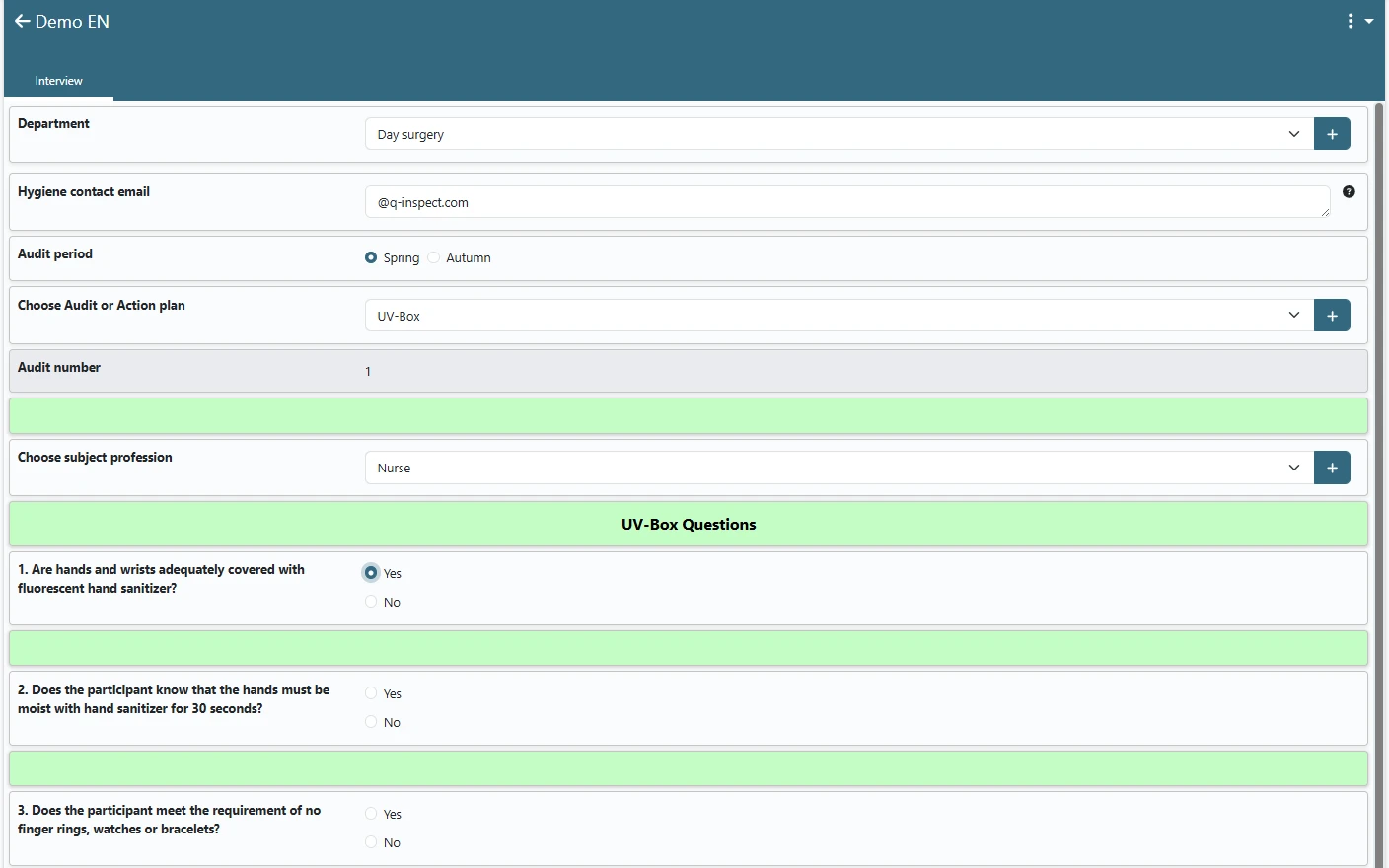
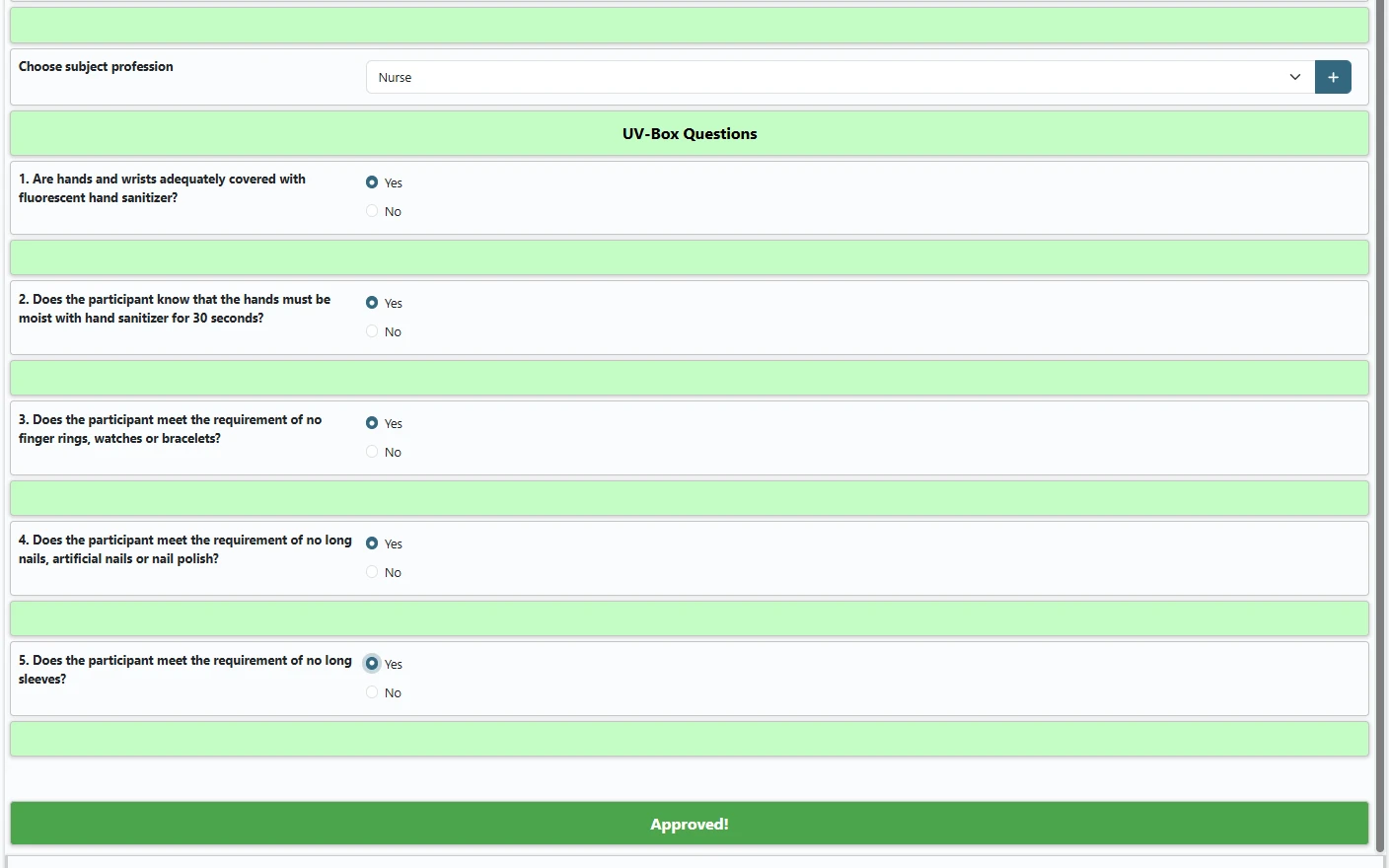
The same case in the browser: registrations, reports, notes, deadlines and case files in one place, and access to edit the template.
What most people want to know
Yes. QReport is built for working on site and works fully without an internet connection. When you're back online, all data syncs automatically.
Data is hosted in Denmark and the platform is built with data protection in mind. Contact us if you need a review against your specific requirements.
No. The template builder is no-code, so your own professionals can build and adjust templates with drag and drop - without a single line of code. And if you want to go deeper, the same templates can be set up in highly advanced ways: conditional logic, so fields and whole sections appear only when relevant, and automatic calculations across fields - of prices and quotes, for example. It still takes no developer.
QReport is a subscription billed per user per month, and the price drops in tiers as you add more users. Updates, support and access to our template library are included, so there is no separate licence or maintenance bill on top.
If you need special templates or advanced setups - a finished report that has to be built in one very specific way, for example - we give you a fixed price for that as a one-off task.
Send us a short message with the number of users and the type of inspections, and you get a concrete price proposal - without having to book a meeting first.
Faster than most people expect. You can typically be up and running within two weeks. We help you with setup and your first templates, so you can build on from there yourselves.
If you need to see it on your own flow first, we take a short demo where we go through one of your inspections step by step.
Find out what QReport can do for you
Book a demo and we'll build a relevant template together and show you the whole flow - from inspection to finished report.